Construction Sites
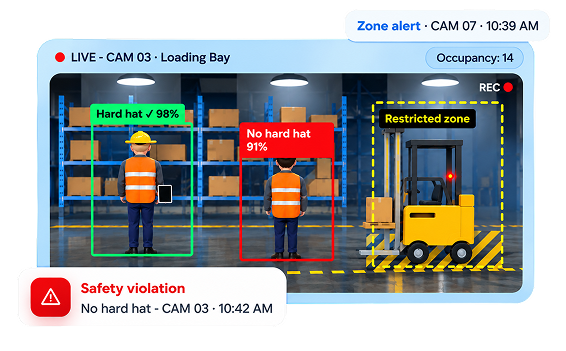
Check hard hat use across the site, keep workers away from crane and excavation zones, and keep a record of every PPE violation for safety audits.




Your CCTV cameras already see everything. With ExponSight AI, they can act on it. ExponSight AI monitors every feed 24/7. It counts people and detects falls, missing hard hats, unauthorized phone use, unknown people, entry into restricted zones, and potential threats. When something happens, it immediately alerts your team with a photo or video clip. After hours, it can also sound a siren and send text and email alerts to anyone you choose, including the police.
Headquartered in Kolkata, India, with offices in the USA, UK, and Australia · 15+ years of engineering experience in software and AI
Everything you need to know about the system, in one place.

ExponSight AI is a web-based AI platform that monitors your CCTV feeds.

Safety, security, and facility teams at construction sites, factories, warehouses, hospitals, stores, and offices.

It counts people and detects falls, missing hard hats, unauthorized phone use, restricted-zone entry, unknown people, watchlist matches, after-hours intruders, and possible threats.

It is compatible with the IP/CCTV cameras you already own.

Alerts appear on the dashboard and are sent by text message and email to the phone numbers and email addresses you add. Every alert comes with a photo or video clip as proof. After hours, a connected siren can sound too.

Every event is saved in a searchable incident log, so your team can acknowledge, assign, and close it.

There are four user roles: Super Admin, Admin, Supervisor, and Viewer.

Start with a pilot. We connect a few of your cameras, test the AI on your own footage, and agree on accuracy targets with you before the full rollout.
Live video comes in from every connected camera, grouped by location.
Alerts appear on the dashboard and are sent by text message and email to the contacts you add. Every event is saved in a searchable incident log. After hours, the system can also sound a connected siren.
AI CCTV monitoring is software that watches your existing camera feeds and alerts you when something important happens. ExponSight AI, our AI-powered smart camera monitoring & safety surveillance system, counts people and detects falls, missing hard hats, unauthorized phone use, restricted-zone entry, unknown people, watchlist matches, and possible threats. When it finds one, it alerts the right person with a photo or video clip. After closing time, it can also act as an alarm system that sounds a siren and sends text and email alerts to the people responsible.
Your security and safety teams no longer need to watch screens all day. They can act on the events that matter and fix the root cause.

Less time spent watching screens
Faster response with photo or video proof
Fewer accidents from PPE gaps and falls
Accurate counts of who enters and leaves
Faster action on after-hours break-ins
The Bosch BME688 sensor picks up many gases at very low levels. During the pilot, we set up and test the smells that matter in your spaces.

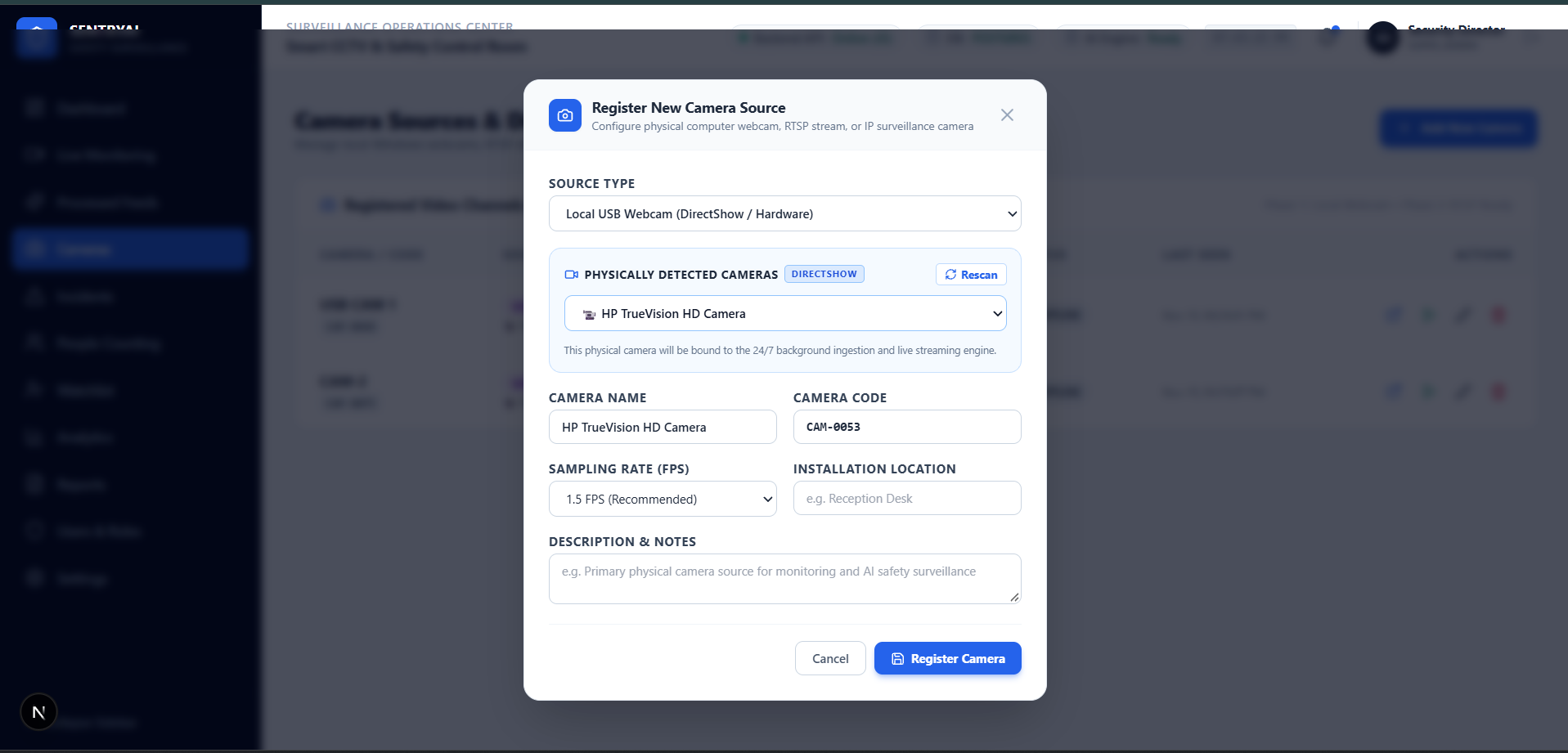
Connect as many IP/CCTV cameras as you need. You can name them, group them by location, choose which AI checks run on each one, and mark zones on every view.
Learn More
Set how sensitive each detection is, the minimum confidence needed for an alert, and the zones it covers. You decide which events count as alerts, including zone entry and exit rules, and when the after-hours alarm is armed.
Learn More
Give each type of event a priority level and choose who receives its alerts. Add the phone numbers and email addresses that should receive text and email alerts, such as owners, managers, a security agency, or the police.
Learn More
View, acknowledge, assign, and close alerts in one place. Every incident moves from new to acknowledged to resolved, so nothing slips through the cracks.
Learn More
Add, update, or remove people from the authorized list and the watchlist. Only authorized users can make these changes.
Learn More
Connect the compatible IP/CCTV cameras you already own. We check camera compatibility, video quality, and network capacity during the site assessment, before the pilot starts.
Learn MoreTurn on only the detections each camera needs. Every alert shows the camera name, location, time, an AI confidence score, and a photo or video clip.

It counts how many people enter, leave, or stay in an area, and helps you track live totals and past footfall trends.
Learn More
It detects when someone falls and alerts your team right away with a photo or clip, so help arrives quickly.
Learn More
It spots workers without safety helmets in areas where helmets are required and raises a safety alert.
Learn More
It flags unauthorized phone use in work areas where phones are not allowed, such as production lines or forklift zones.
Learn More
You can mark zones on any camera view. The system alerts you when someone enters a no-go area or leaves an area they must stay in.
Learn More
Add your employees and registered guests to an authorized list. If the camera sees someone who is not on the list, or someone on your watchlist, it flags them right away with a photo and timestamp. A person reviews every flagged face before anyone acts on it.
Learn More
It flags the suspicious or threatening behavior you choose to monitor, with the incident type and a photo or clip. The available threat types depend on what the AI has been tested to detect accurately.
Learn More
Arm ExponSight AI when your store or building closes. If anyone is detected inside, it sounds a connected siren and sends text and email alerts to every phone number and email address you have added, such as the owners, your security agency, or the local police. You choose who is alerted and when the alarm is armed, and every alert is saved on the dashboard with a photo or video clip as proof.
Learn More
We add them to ExponSight AI once we confirm they work accurately at your site.
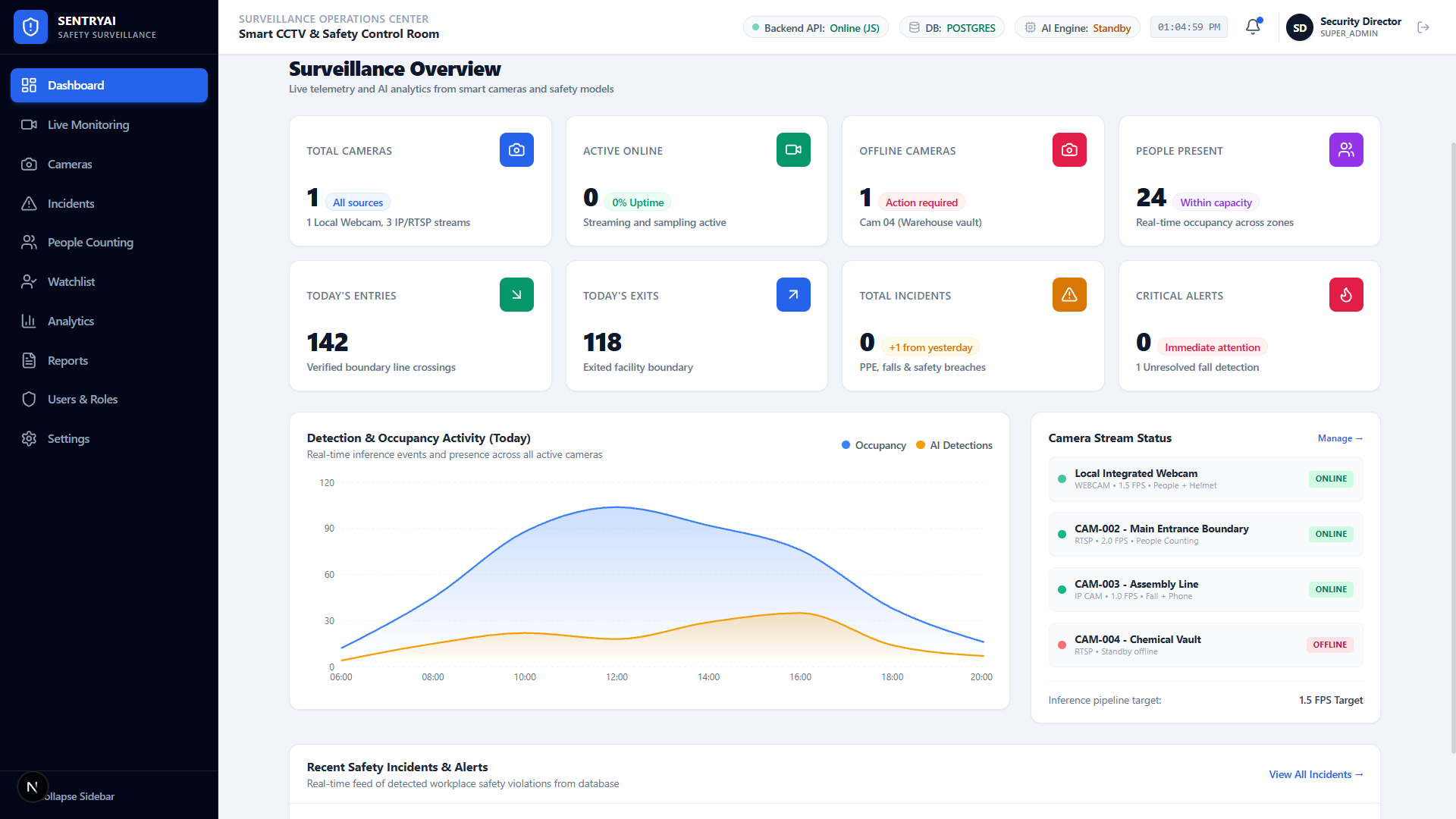
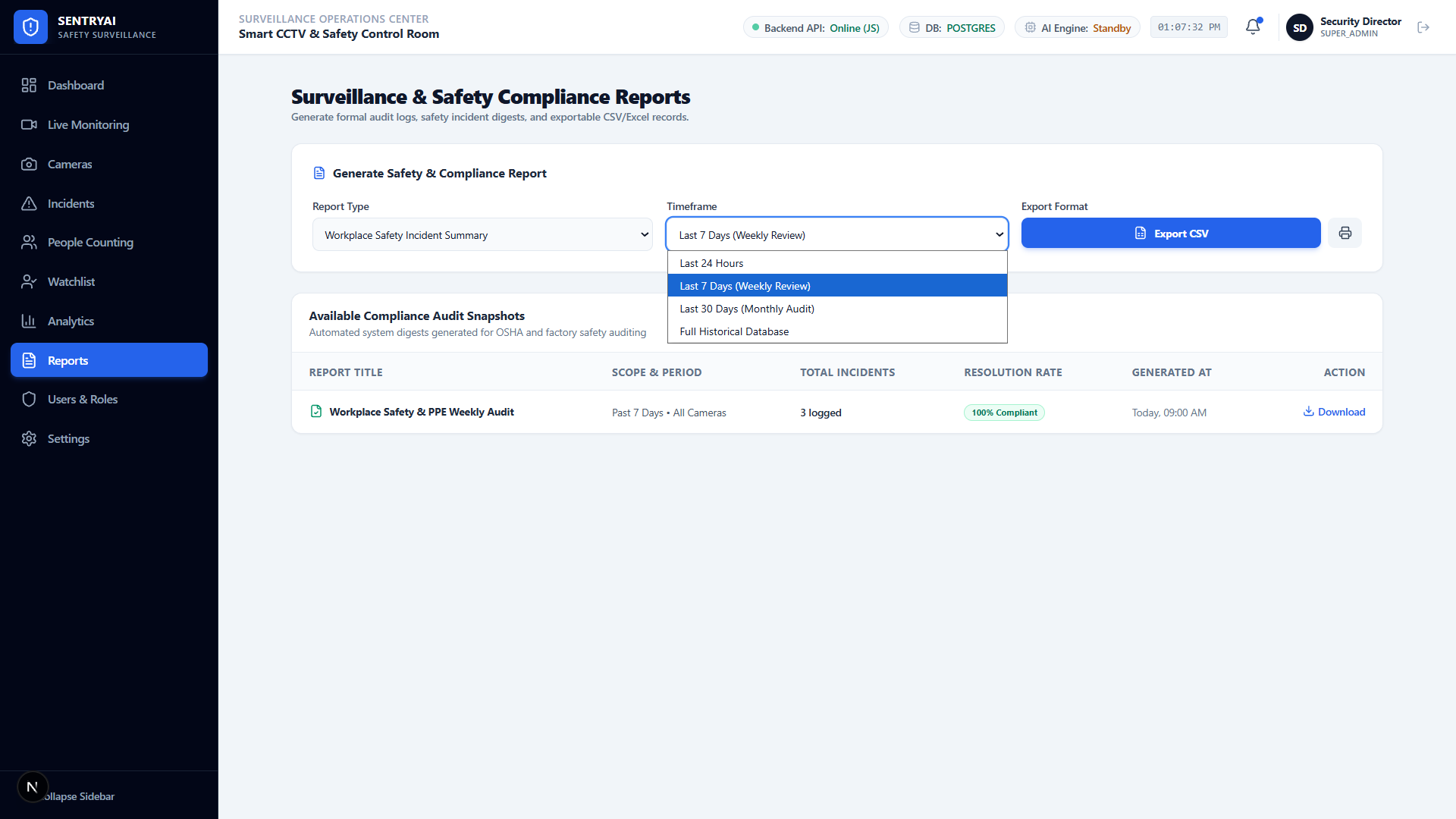
Take a look at the ExponSight AI screens your safety and security teams will use every day. Watch live feeds with AI overlays, track who comes and goes, review flagged faces, and arm the after-hours alarm, all from one web-based dashboard.
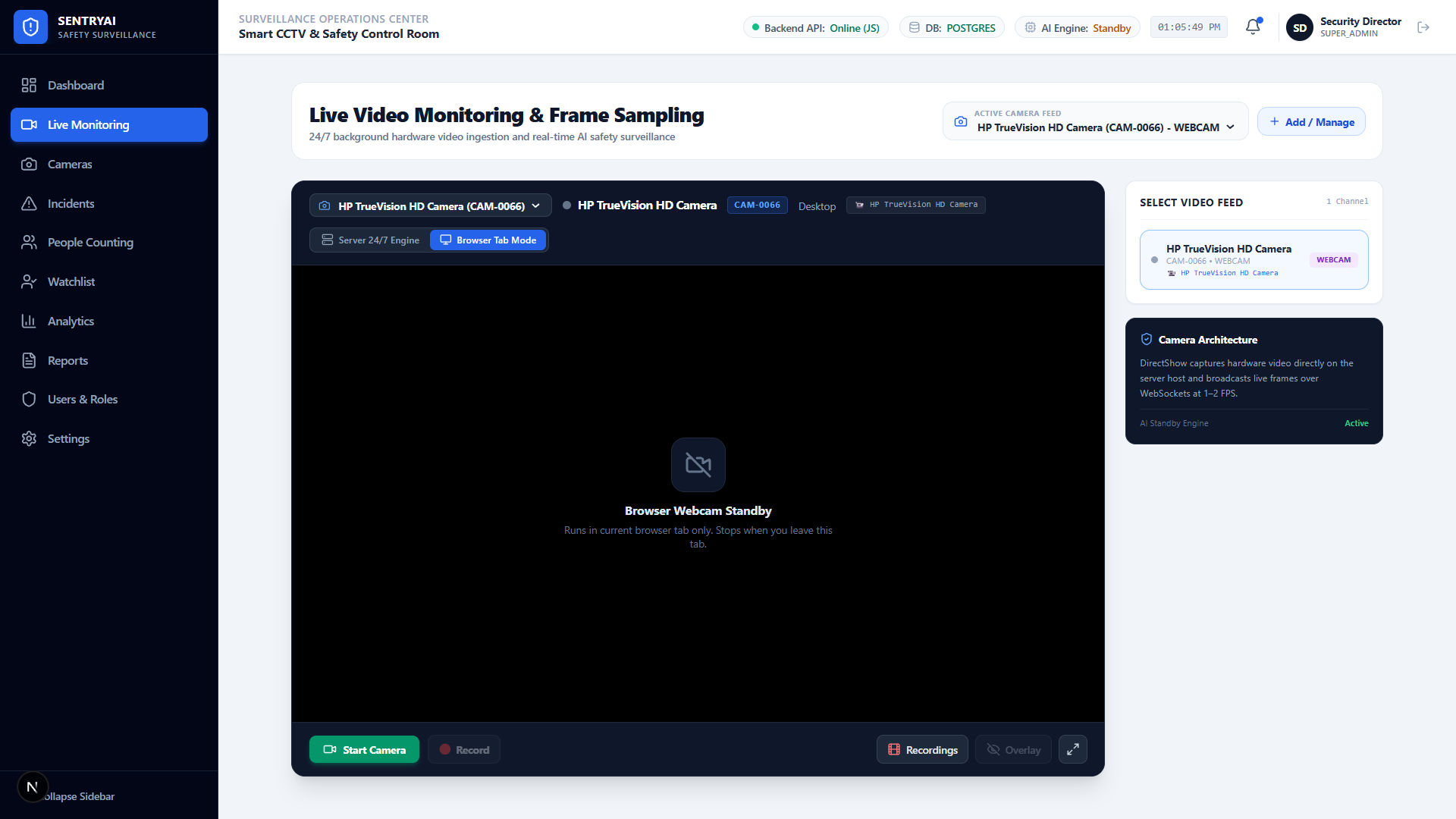
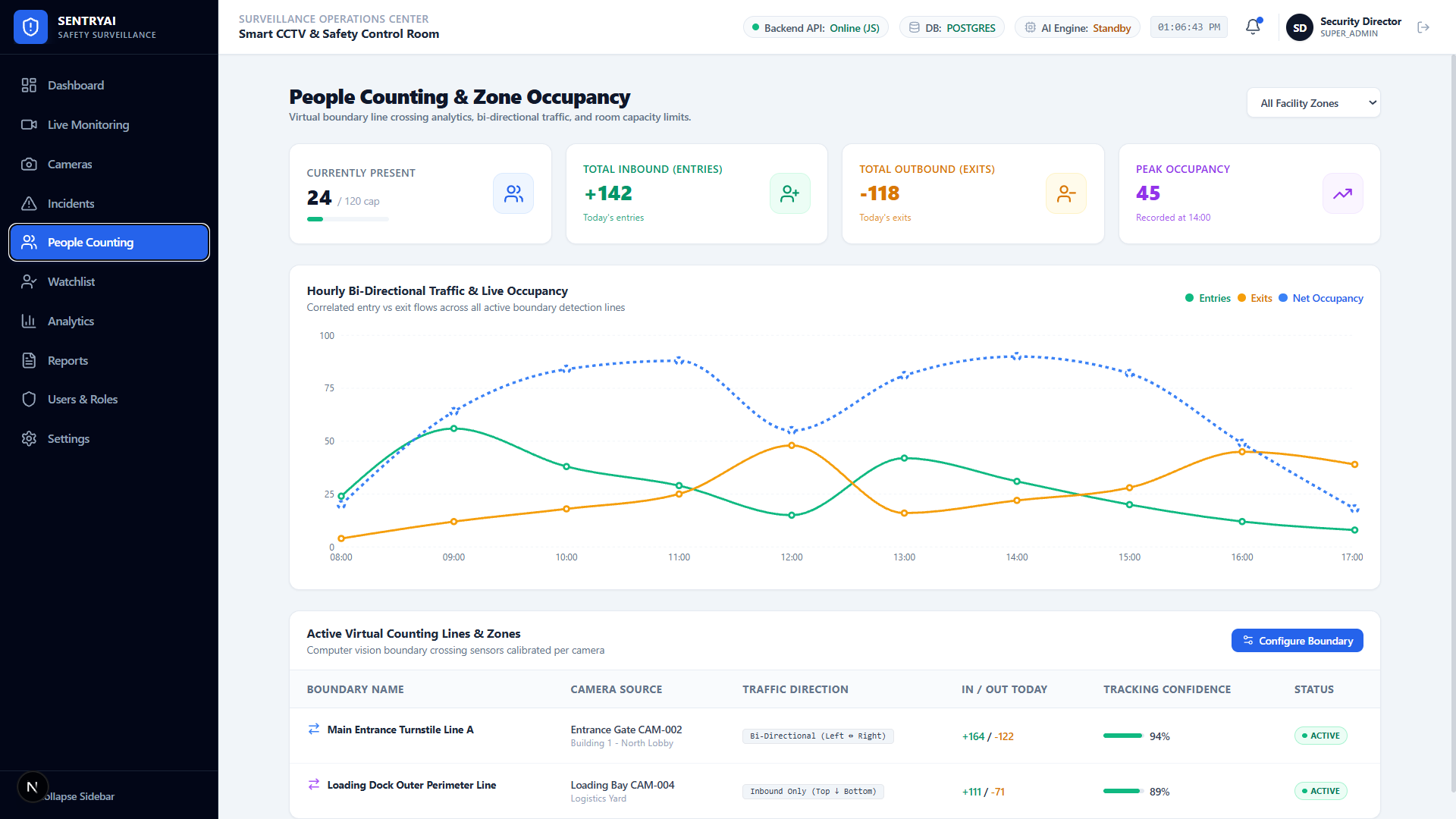
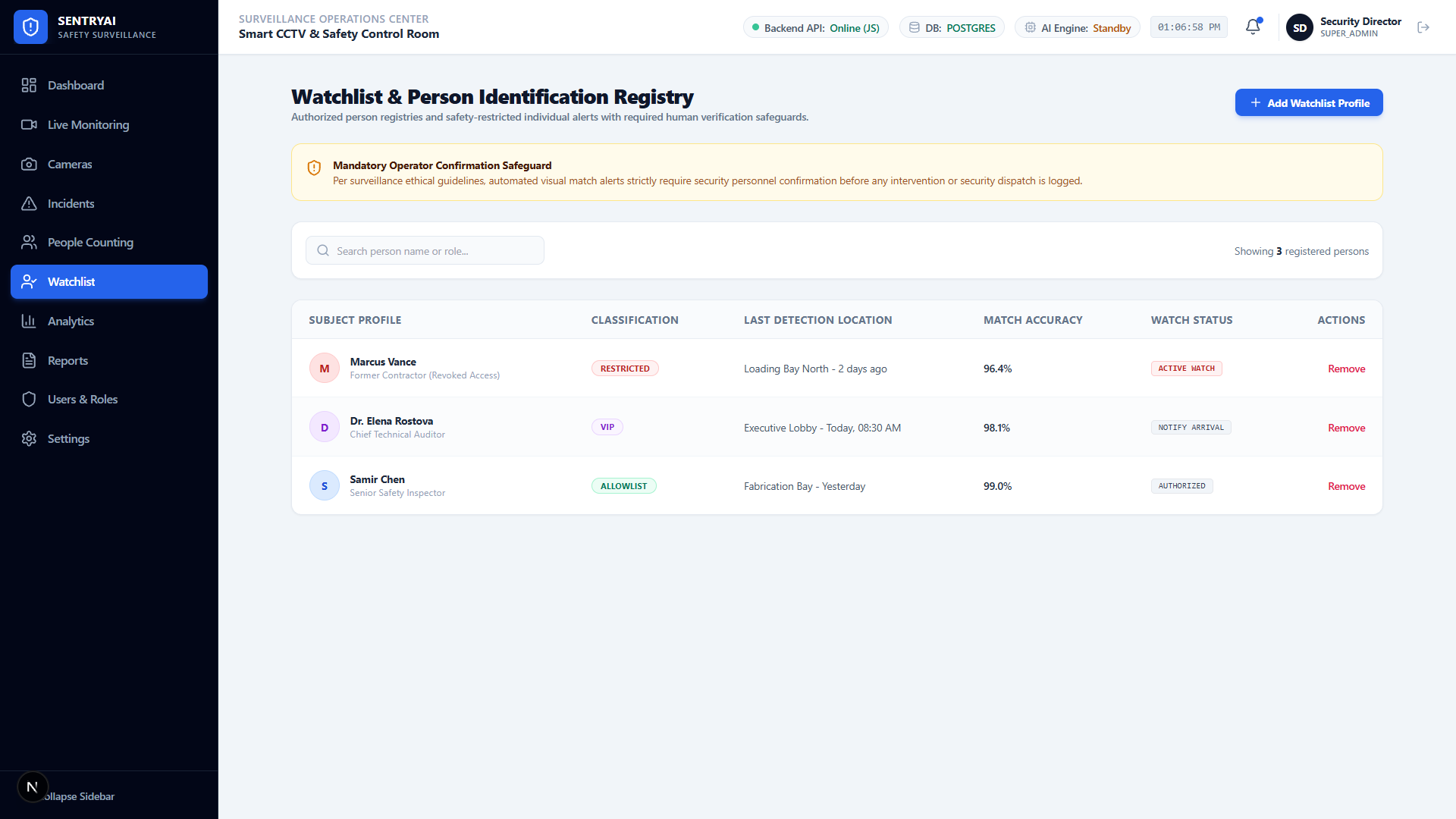
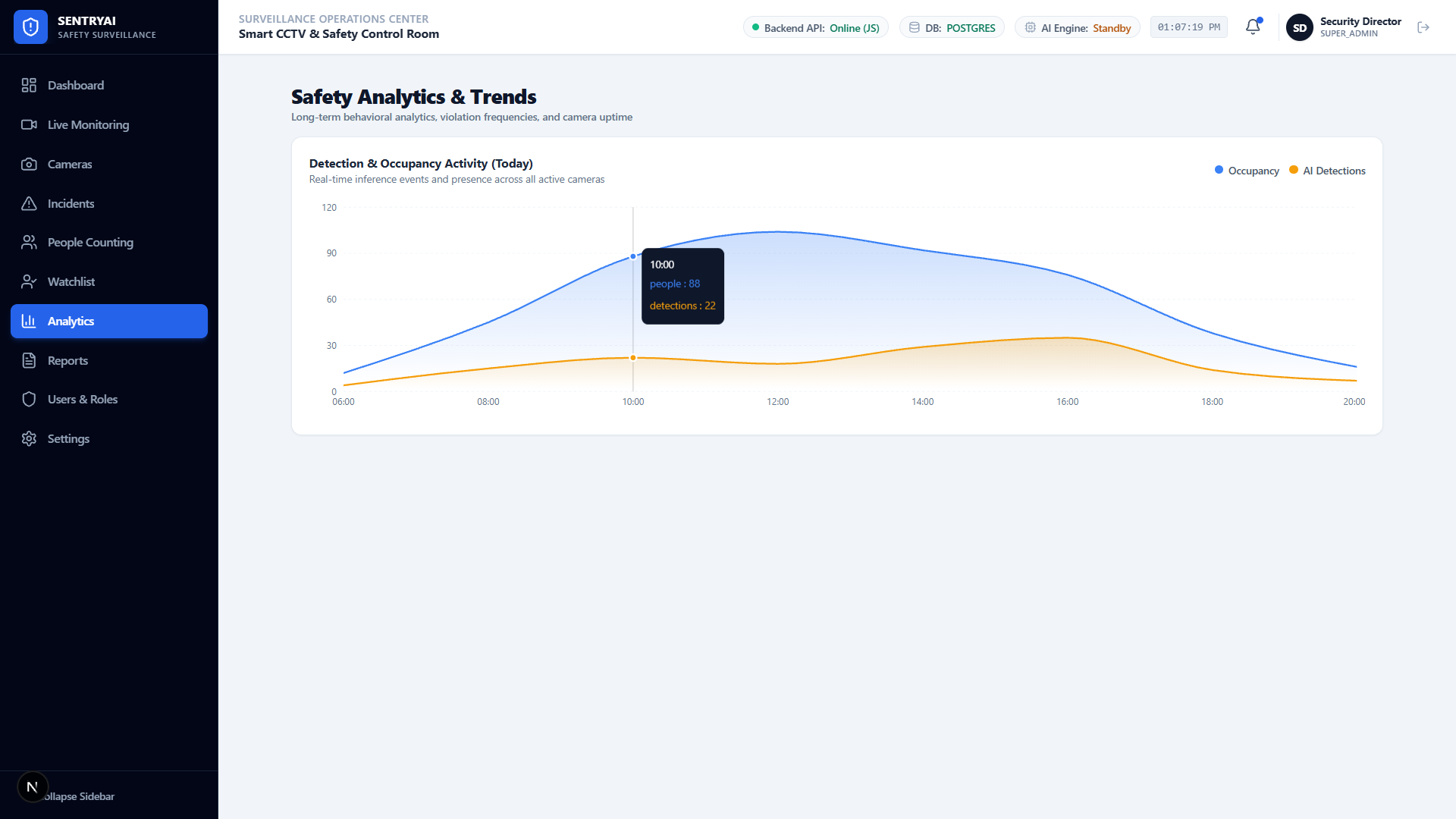
Four simple steps to take your AI-powered smart camera monitoring & safety surveillance system live.
Add your compatible IP/CCTV cameras to ExponSight AI, name each camera, and assign it to a location.
Choose a detection type for each camera, add your authorized people, mark the restricted zones, set the alarm hours, and decide who gets which alerts.
We test each detection type on your site's footage and agree on clear targets for accuracy and alert speed with you.
Your team gets alerts with photo or video proof, closes incidents, and fixes the root cause so problems do not repeat.
Bad smells and smoking lead to complaints in every industry. Here is how the system helps in each one. Need CCTV-based safety monitoring too? See our AI Smart Camera.
Check hard hat use across the site, keep workers away from crane and excavation zones, and keep a record of every PPE violation for safety audits.
Stop unauthorized phone use on production lines, keep workers out of machine zones, and get instant alerts when someone falls on the shop floor.
Keep people out of forklift lanes and loading bays, count staff on each shift, and get alerts for falls in the aisles.
Get instant fall alerts from wards, corridors, and patient rooms, and keep pharmacies and records rooms limited to authorized staff.
Measure footfall and peak hours at every entrance, keep an eye on occupancy, and get alerts when someone on your watchlist walks in.
Recognize employees and registered guests, flag anyone who is not on the list, keep server rooms and labs restricted, and see how many people are on each floor.
Guard vaults, cash areas, and server halls, flag unknown people and watchlist matches for quick review, and sound the alarm if anyone enters after hours.
Arm the cameras when the store closes. If anyone is inside after hours, ExponSight AI sounds the siren and sends text and email alerts to the owners, your security agency, and the local police. During opening hours, it recognizes your staff and flags anyone on your watchlist.
Track passenger numbers on platforms and concourses and get early alerts on possible threats in busy areas.
| Area | Traditional CCTV | ExponSight AI: AI-Powered Smart Camera Monitoring & Safety Surveillance System |
|---|---|---|
| Monitoring | People watch screens | AI watches every feed and flags important events |
| Response | Often found later in recordings | Real-time or near-real-time alerts with photo or video proof |
| Safety checks | Manual site rounds | Automatic hard hat, phone use, and fall detection |
| Restricted areas | Guards or door logs | Mark zones on any camera and get entry and exit alerts |
| Footfall | Manual counts or none | Live entry, exit, and occupancy counts, with history |
| Visitors | Guards check faces and visitor logs | Recognizes authorized people and flags anyone else |
| After hours | Records a break-in for someone to find later | Sounds a siren and sends text and email alerts to your team and the police |
| Access | Shared logins | Four roles: Super Admin, Admin, Supervisor, and Viewer |
Has full control of the system, including every camera, user, and access policy.
Manages assigned cameras, zones, detection rules, authorized lists and watchlists, alarm schedules, and alerts.
Monitors assigned locations, receives alerts, and reviews or resolves incidents.
Has read-only access to the camera feeds they are allowed to see.
Every detection is tested on footage from your own site before it goes live.
Confidence thresholds and alert rules filter out noise, so your team only sees alerts that matter.
A person must review every flagged face and high-impact threat alert before anyone acts on it. After-hours alarms go out instantly, with photo or video proof, so responders can verify the scene on their way.
Facial data and recordings are access-restricted, stored securely, and logged for audits.
Start small, prove the value on your own site, and then scale to every location.
Techno Exponent has been building software, AI, and IoT products since 2011. We work from our headquarters in Kolkata and offices in the USA, UK, and Australia. A team of 450+ in-house experts, including a PhD holder, a patent holder, and a gold medalist, has delivered projects for 3,000+ clients worldwide. In 2024, Starz Magazine named us AI/ML Solution Provider of the Year.
ExponSight AI, our AI-Powered Smart Camera Monitoring & Safety Surveillance System, is built by our AI and machine learning team, the same team behind ExponSense AI, the Smart Odor Detector System, and the BottBuddy AI chatbot builder. We are ISO 27001:2022 certified for information security.
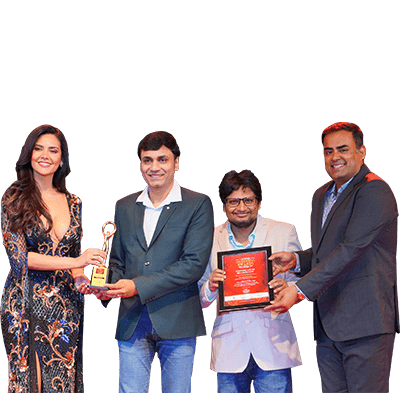
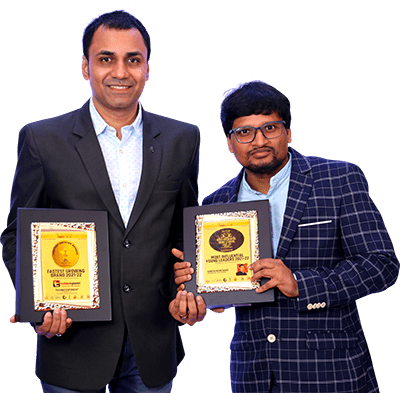
Awarded by Starz Magazine
Awarded by the Times Group
Awarded by the Times Group
Awarded by AsiaOne
Quick answers about cameras, accuracy, privacy, alerts, and cost.

ExponSight AI is Techno Exponent's AI-Powered Smart Camera Monitoring & Safety Surveillance System. It adds AI video analytics to the IP/CCTV cameras you already own, detects falls, missing hard hats, unknown people, after-hours intruders, and more, and sends text and email alerts with photo or video proof.
An AI smart camera monitoring system is software that watches CCTV feeds with artificial intelligence and alerts you when something important happens, such as a fall, a missing hard hat, or someone entering a restricted area. Each alert includes a photo or video clip, so your team does not have to watch every screen.
AI video analytics is the use of computer vision to analyze video automatically and find people, objects, and events in it. In CCTV monitoring, it turns live camera feeds into alerts and counts, instead of hours of footage someone must review.
Yes, in most cases. ExponSight AI, our AI-Powered Smart Camera Monitoring & Safety Surveillance System, connects to compatible IP/CCTV cameras you already own, so you usually do not need new cameras. We check camera compatibility, video quality, and network capacity during the site assessment.
Most modern IP cameras that stream live video can be used with ExponSight AI. We check your camera models and video quality during the site assessment, before the pilot starts.
An AI model finds each person in the camera view and checks whether they are wearing a helmet. If someone in a helmet-required area is not wearing one, ExponSight AI sends a safety alert with the camera name, time, and a photo.
Yes, with AI fall detection. The AI tracks body position and movement in the video and recognizes when a person falls, then sends an immediate alert with a photo or clip. This is useful in hospitals, elder care homes, factories, and warehouses.
AI people counting detects each person in the camera view and counts them as they cross a line or enter a zone. It shows live entry, exit, and occupancy numbers and keeps the history, so you can see daily, weekly, and monthly footfall trends.
AI CCTV accuracy depends on camera angle, lighting, video resolution, and the site itself. That is why we test every ExponSight AI detection on footage from your own site during a pilot and agree on accuracy targets before go-live. Confidence thresholds and alert rules help reduce false alarms.
AI CCTV alerts are sent in real time or near-real-time. The exact speed depends on camera quality, network, and infrastructure, so we agree on alert-speed targets with you during the pilot.
Yes, if the camera can see clearly. Cameras with infrared (IR) or low-light sensors give the AI a usable picture in the dark, and we test each detection on your own night footage during the pilot.
Only for its optional face recognition features: the authorized people list and the watchlist. Authorized admins add reference photos, and a person reviews every flagged face before any action is taken. Facial data is access-restricted, and every action is logged.
Yes. You add employees and registered guests to an authorized list. When the camera sees a face that is not on the list, or someone on your watchlist, ExponSight AI flags the person right away with a photo and timestamp, and a member of your team reviews the alert before anyone acts.
Yes. When you arm ExponSight AI after closing time, it treats anyone detected inside as an intruder. It sounds a connected siren and sends text and email alerts to the phone numbers and email addresses you have added, such as the owners, a security agency, or the local police. This suits jewelry stores, banks, and other high-value sites.
In ExponSight AI, access depends on the user's role. Super Admins control the whole system, Admins manage their assigned cameras and rules, Supervisors monitor their locations and resolve incidents, and Viewers can only see the feeds they are allowed to.
ExponSight AI alerts appear on the dashboard and are sent by text message and email to the phone numbers and email addresses you add. Each type of event can have its own priority, and every alert shows the event type, camera, location, time, confidence score, and a photo or clip.
Anyone you add. You enter the phone numbers and email addresses that should receive alerts, such as owners, managers, supervisors, a security agency, or the local police, and choose which event types each contact gets.
Normal CCTV records video for people to watch or review later. AI CCTV analyzes the video as it happens, flags important events, and sends alerts with photo or video proof, so teams respond faster and spend less time watching screens.
ExponSight AI pricing depends on the number of cameras, the detections you turn on, and where the AI runs. We start with a pilot on a few cameras, so you see results on your own site before you scale.
Camera data should be protected with access control, secure storage, and audit logs. In ExponSight AI, access is role-based, and facial data and recordings are access-restricted, stored securely, and logged for audits.


Talk to our team about data, automation,
and marketing programs built for your market.
Or Email [email protected]


Copyright © 2026, TECHNO EXPONENT, All Rights Reserved.
Techno Exponent is the brand name of T-WEB EXPONENT SERVICES PRIVATE LIMITED (CIN U72300WB2016PTC210128), founded 2011, Kolkata, India.